From statement to payment, with the checks in between.
Fiatto brings in your statements and matches them to invoices and the ledger. Payments go out in batches past the approval matrix, the payee name check and the sanctions list, and end up as a SEPA file for your own bank.
Included from Complete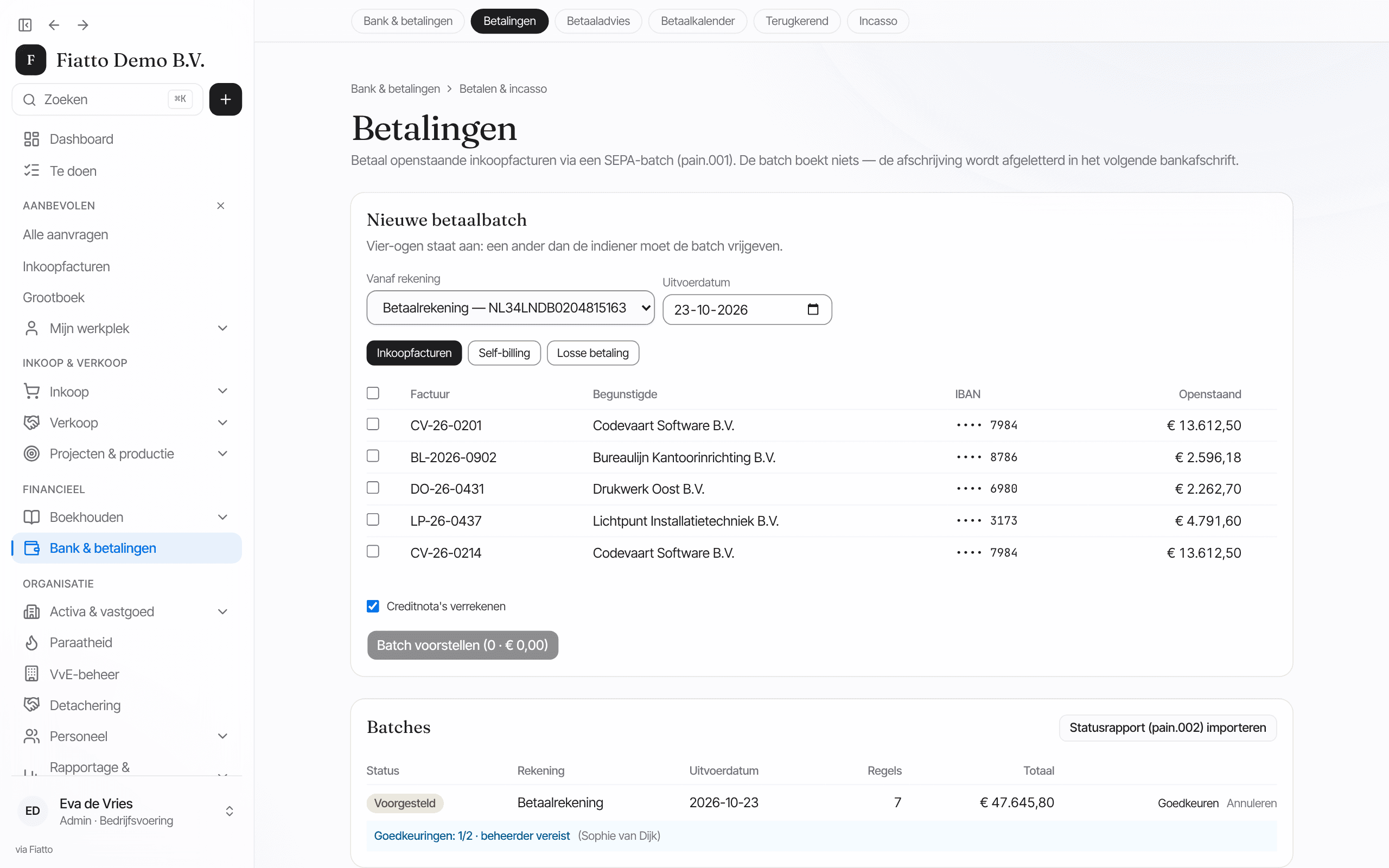
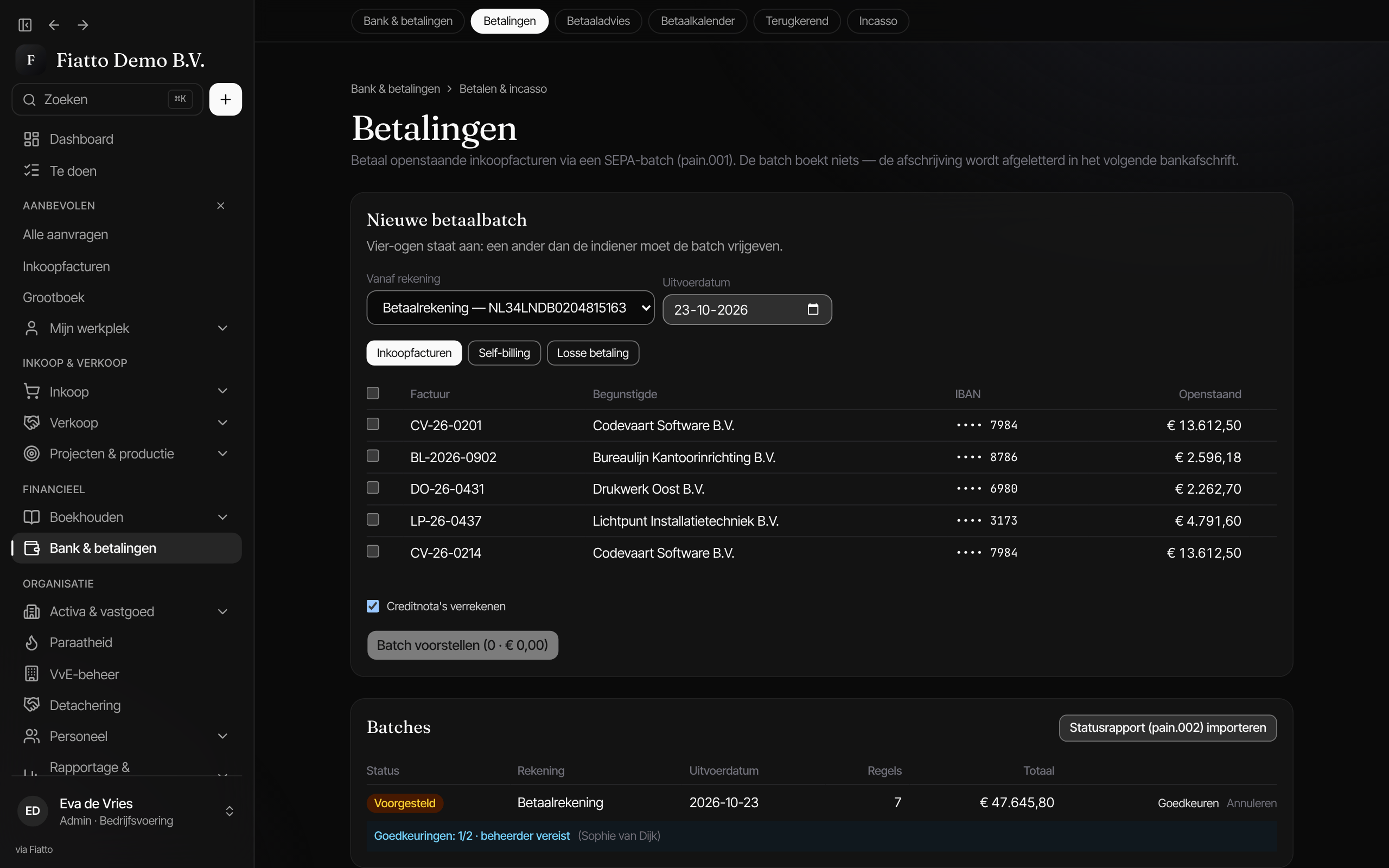
Screenshot from Fiatto, demo company with fictional data.
The problem
Bank work is often manual work across three screens.
Matching by hand
Downloading statements every morning and working out line by line which invoice an amount belongs to.
Paying on trust
A payment file goes to the bank without anyone seeing who approved it or whether the payee is right.
No view of cash
What the balance will be in six weeks lives in a spreadsheet nobody keeps up to date.
Three steps in the money flow
Receiving, paying and looking ahead in one chain.
Example · fictitious data
1 · Incoming
Statements in, matched automatically
Connect your bank through PSD2 and transactions arrive daily, or import CAMT.053, MT940 or CSV. A strong match, with the exact amount and a matching invoice number or name, is reconciled in one click. The nightly matching run posts unambiguous matches on its own.
2 · Outgoing
Paying in batches, with gates in front
Amount bands set how many approvers a payment batch needs and whether an admin must be among them. With the payee name check on, a batch is only released once every payee has been checked, and the sanctions list is always screened. You then download one pain.001 for your own bank.
3 · Ahead
Cash position and forecast
The forecast looks thirteen weeks ahead on open invoices, payment batches, payroll, VAT payments and open orders, then continues in months from the plan. You see when cash will be lowest, well before it happens.
Setup
Read first, then pay.
Connect your accounts
Give consent through your bank for daily transactions, or import a statement as a file.
Set the approval matrix
Decide per amount band how many approvers a payment batch needs, and turn on the payee name check.
Run the first payment run
Build a batch from open invoices, have it approved and download the payment file for your bank.
Questions about banking & payments
Do we have to switch banks?
No. Fiatto reads statements from your current bank, through a PSD2 connection or as a CAMT.053, MT940 or CSV file. Payments become a SEPA file (pain.001) that any European bank processes.
Does Fiatto move money itself?
No. Fiatto creates the payment file after the approvals; you execute it in your own banking environment. The file is recorded with a hash at release, so every download is the same file. You then import the bank's status report (pain.002).
What if a customer pays too little?
A small difference within your tolerance is written off as a payment difference. A larger shortfall becomes a deduction on the invoice, but only if the payment belongs to that invoice by name or invoice number.
See how this works with your bank?
30 minutes, on your own accounts and payment run.
Next: internal control, the checks before release →All modules