Walkthrough
Your first request, in five steps.
This is how one purchase moves through Fiatto, from request to invoice. The screens come from a made-up example company buying twelve laptops.
From request to invoice
1
You request it
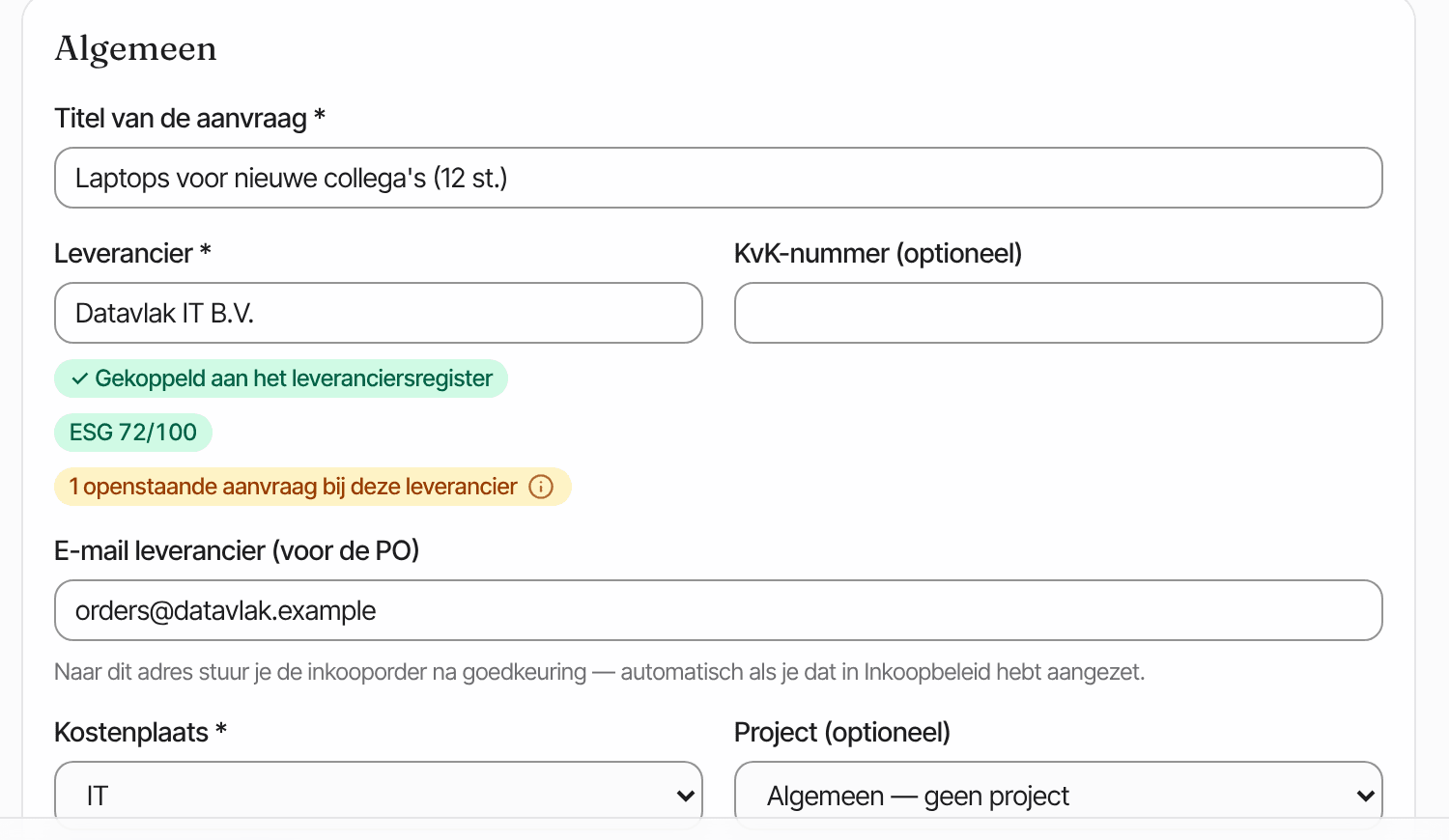
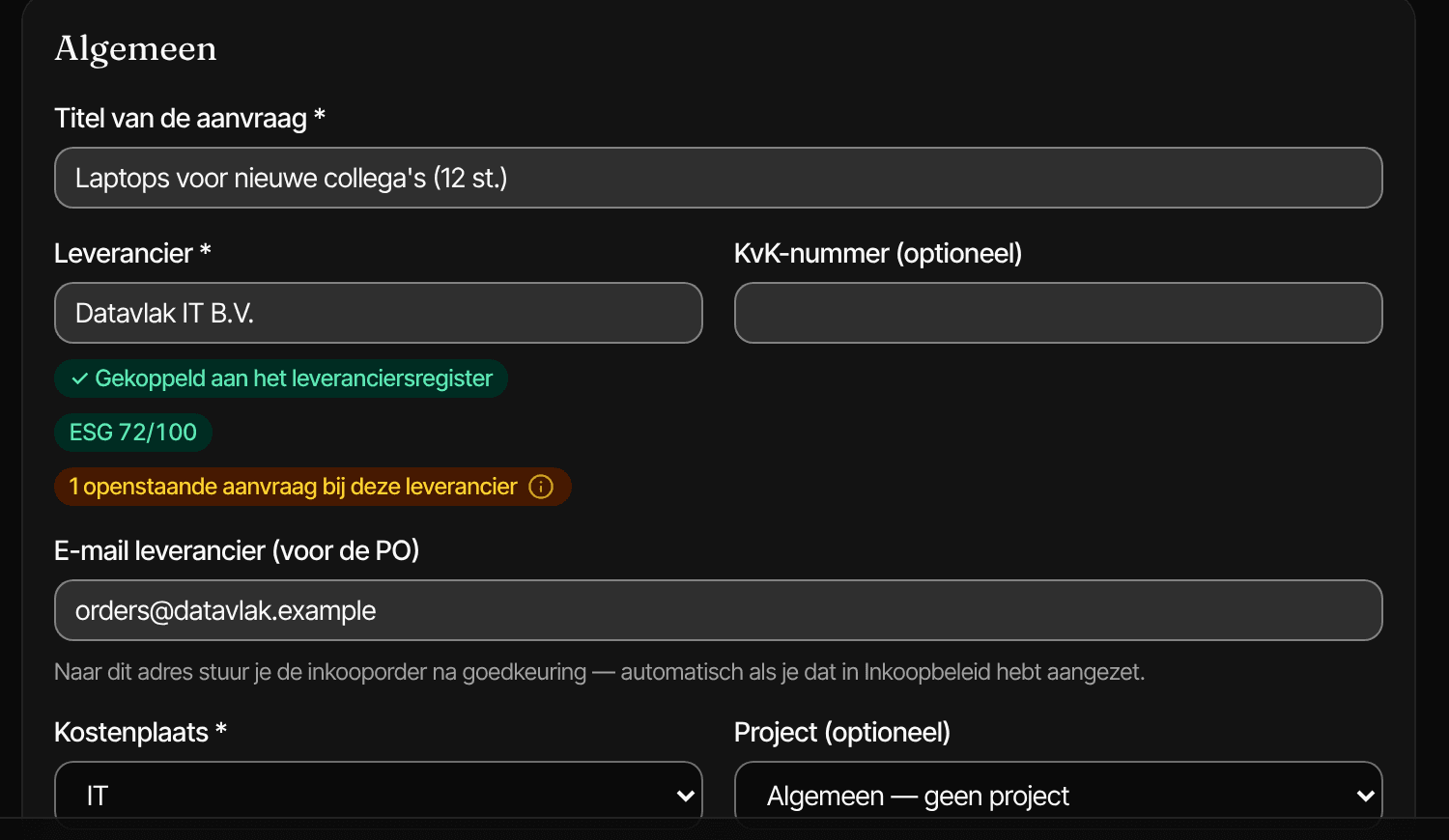
You fill in what you need, from which supplier and on which cost centre. You attach the quote and write briefly why. Fiatto immediately shows how much budget is left.
2
Someone else approves it
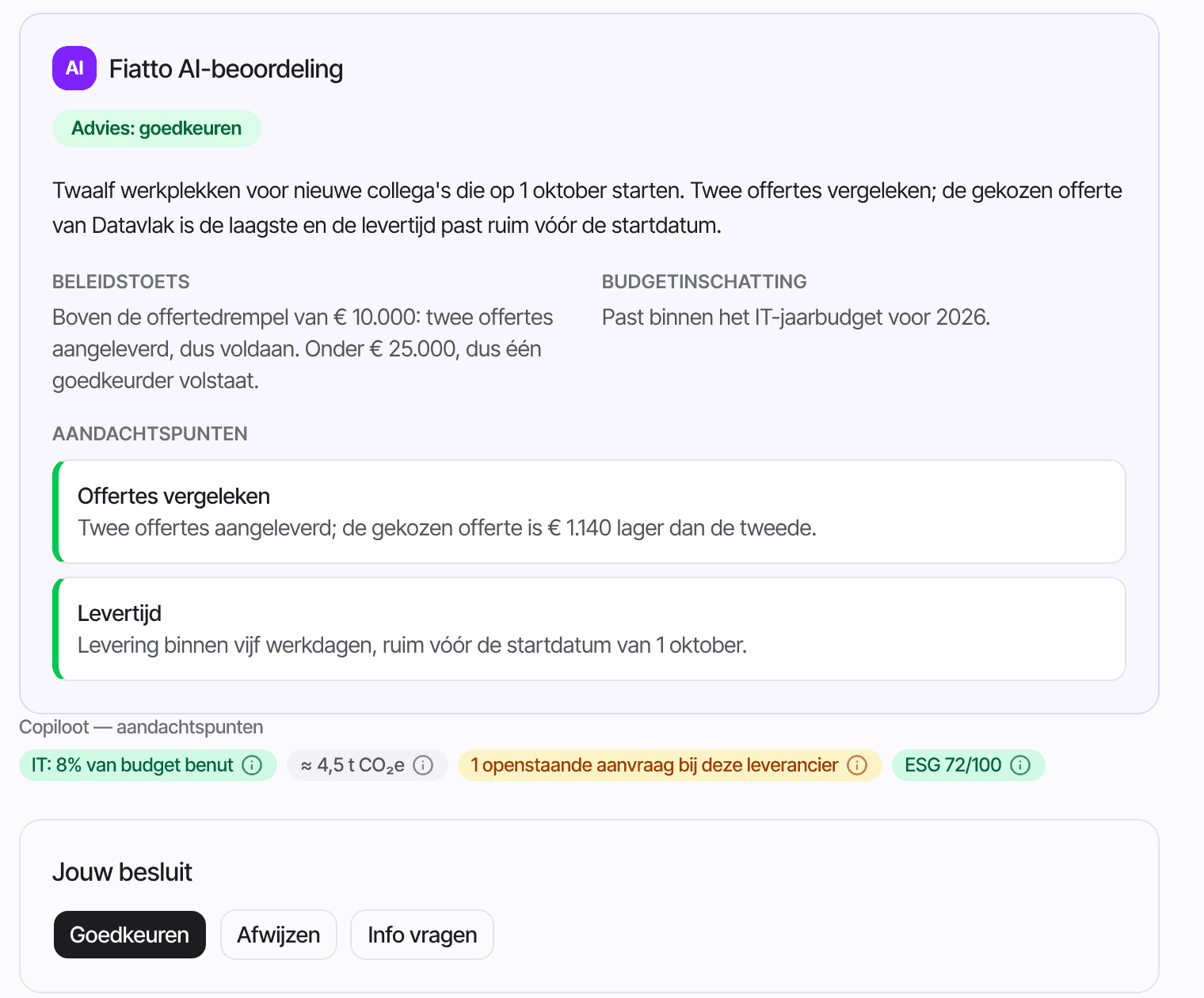
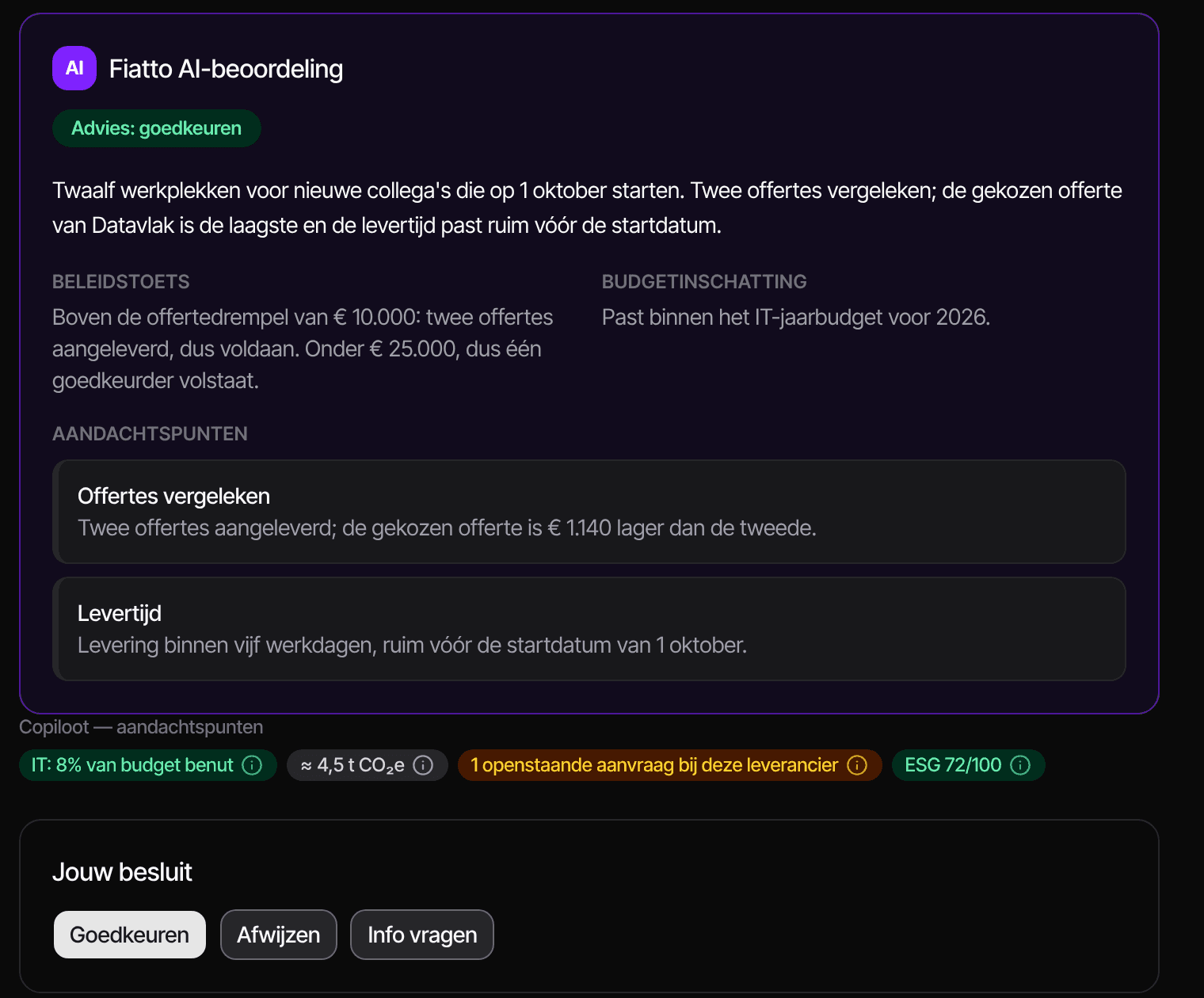
The approver sees the request with an assessment: does it fit the purchasing policy and the budget. Approving can happen here, or from the email without logging in.
3
The supplier confirms
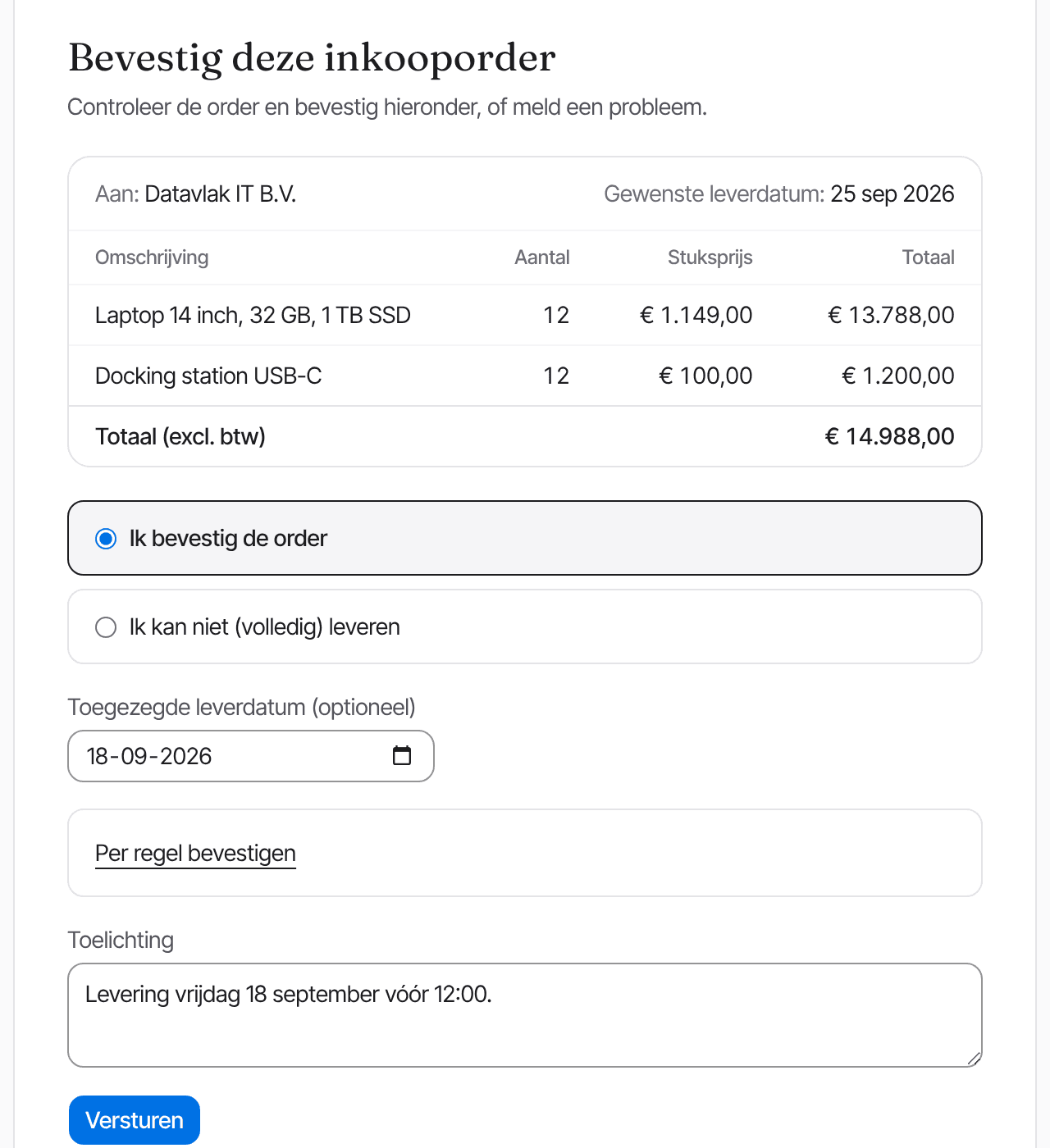
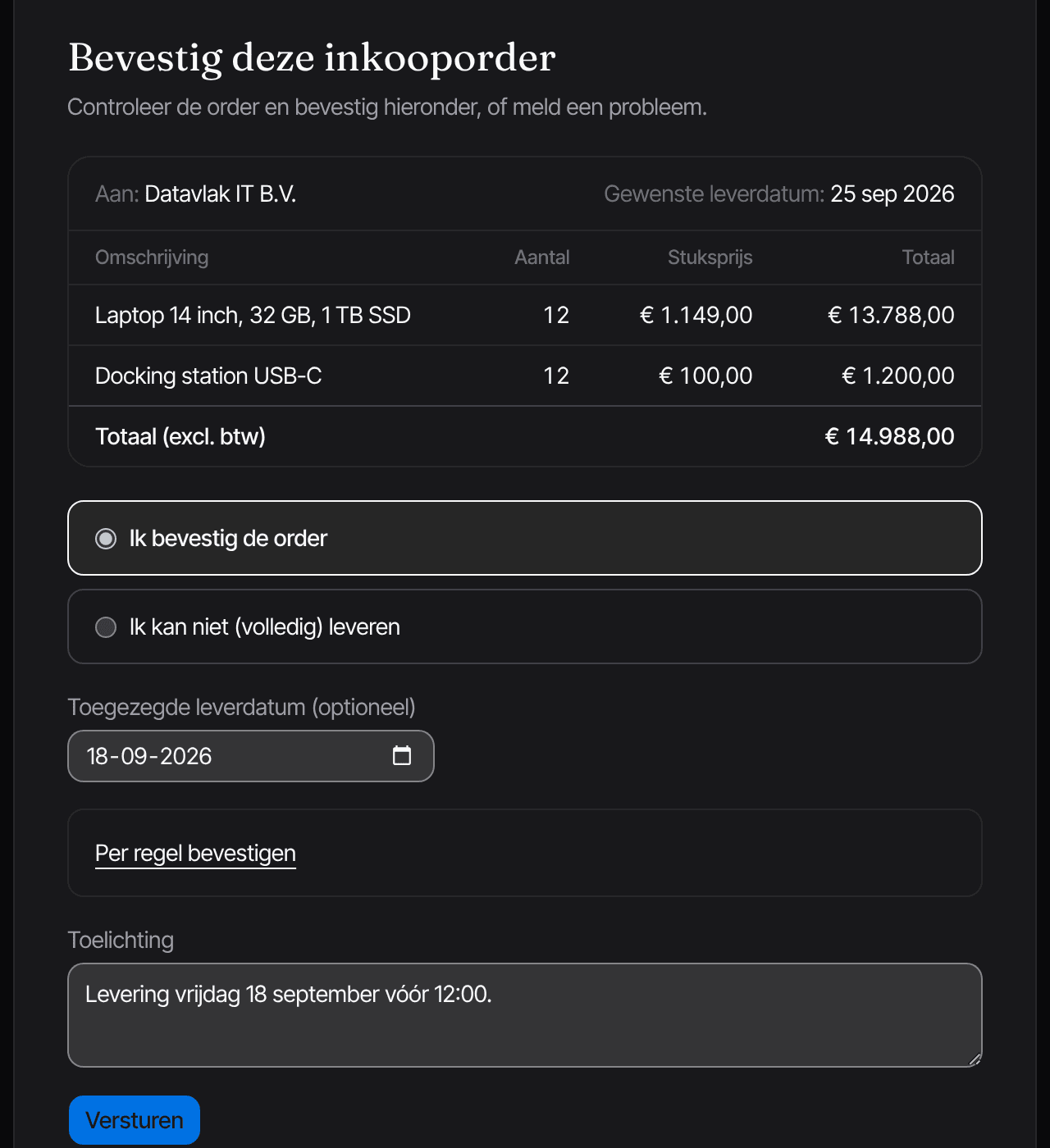
After approval, the order goes to the supplier. They confirm via a link, without an account, and give the delivery date or report that it can't be done.
4
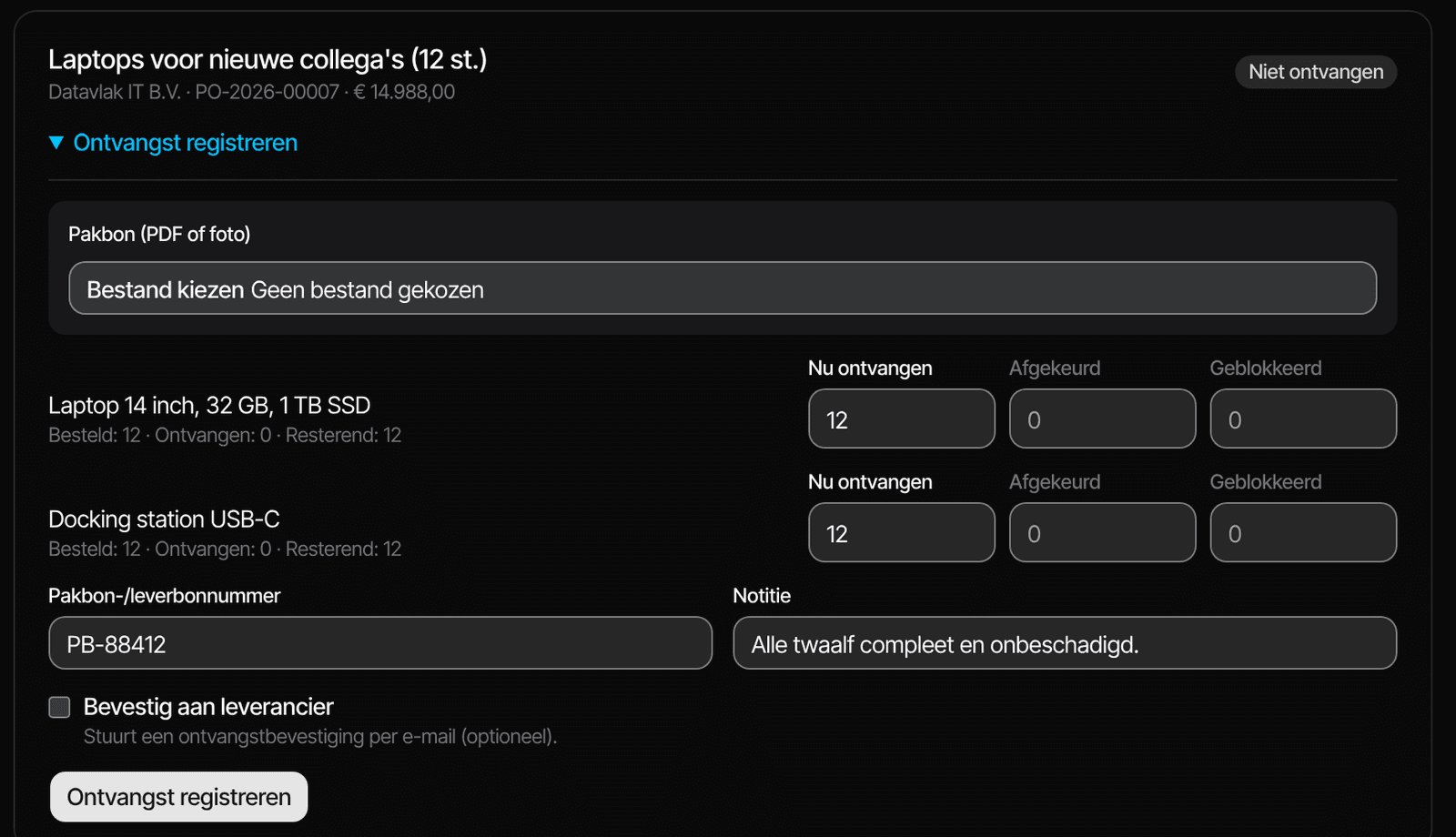
You record what arrived
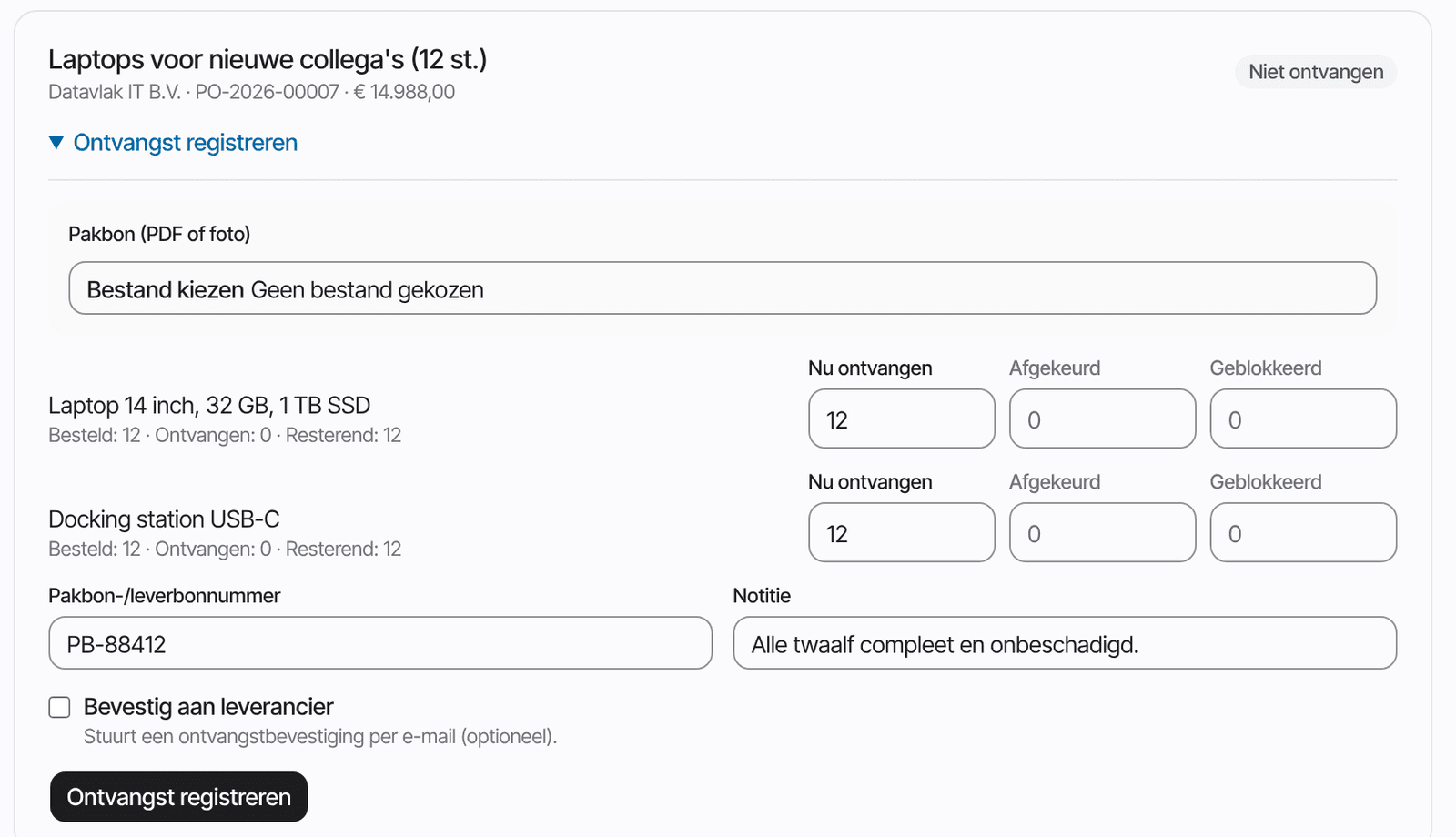
When the delivery arrives, you fill in per line what you received. The delivery note number and a photo of the delivery note can be added.
5
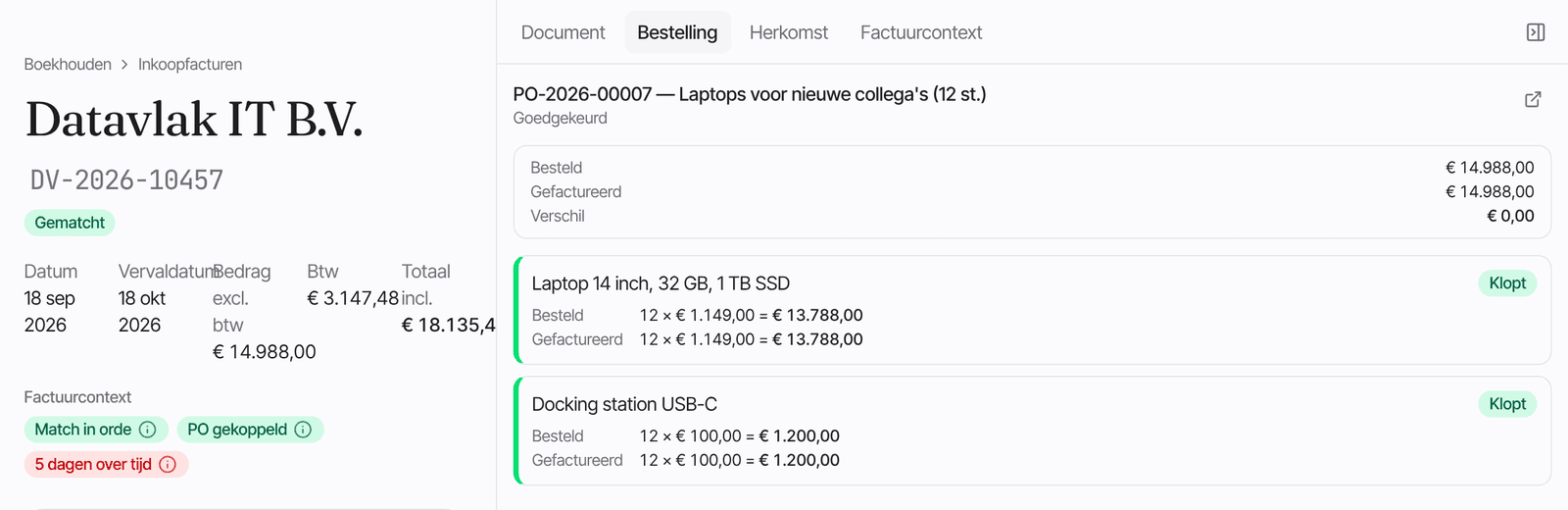
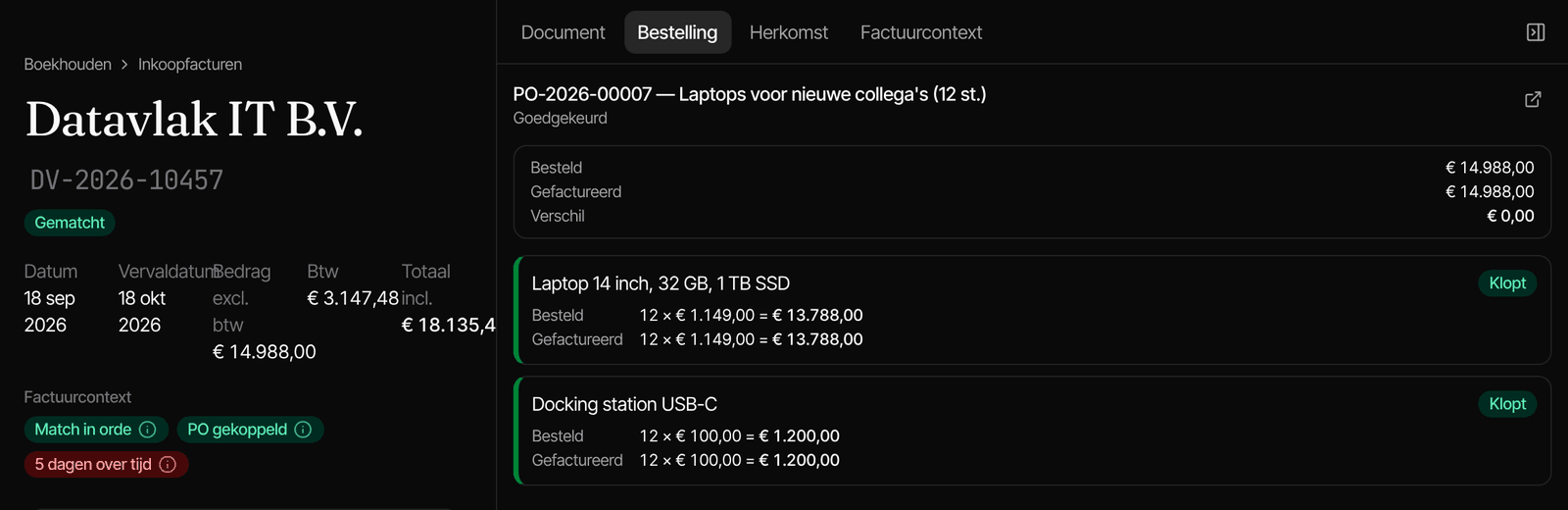
The invoice is checked
The invoice arrives and Fiatto puts it next to the order and the receipt of goods. If every line matches, it can go ahead. If something deviates, it first goes past someone who decides.
About this walkthrough
- The company, the supplier and the amounts in the screens are made up.
- All five steps are part of Kern, the smallest plan.
- You can go through it yourself with a trial account and a request to your own supplier.
More for small teams
- Fiatto for small teams
How approvals and the four-eyes principle work when one person wears several hats.
- Scan receipts
A photo of your receipt, even without signal, and it's in your expense claim.
- Approve from your email
Decide on your phone, without logging in, with the same rules as in the app.
- A week at a company of five
A made-up example: who requests, who approves and what Fiatto checks.
Make your first request yourself?
Try Fiatto with your own supplier, or walk through it with us.